
I invite you to upgrade to a paid subscription. Paid subscribers have told me they appreciate me creating the programming projects and would like to see more of them in the future. Coding Challenge #129 - Coding Challenges CoachThis challenge is to build your own AI coach for Coding Challenges, learning how to build and deploy production grade AI agents.
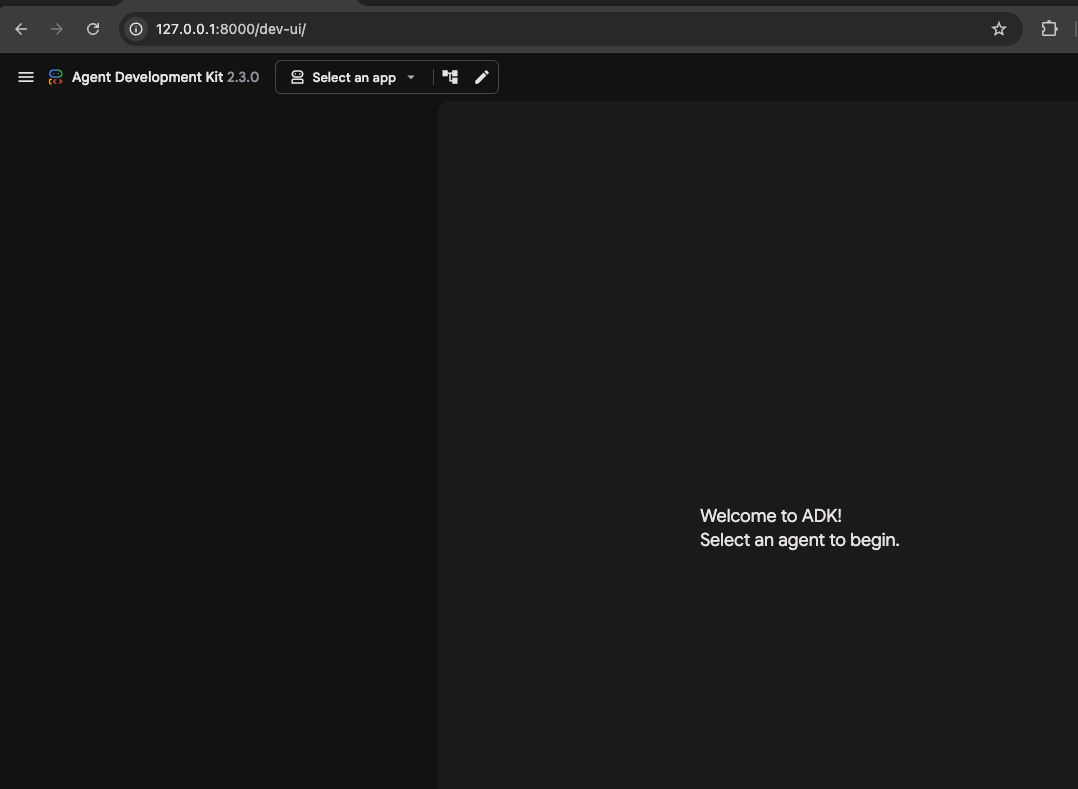
Hi, this is John with this week’s Coding Challenge. 🙏 Thank you for being a subscriber, I’m honoured to have you as a reader. 🎉 If there is a Coding Challenge you’d like to see, please let me know by replying to this email📧 Coding Challenge #129 - Coding Challenges CoachThis challenge is to build your own AI coaching agent that helps developers learn by working through the Coding Challenges projects. We’ve all wished for a patient mentor who sits with us while we learn: someone who helps us pick the right thing to work on, talks through our approach, lets us run our code, and remembers where we got to last time. In this challenge you’ll build exactly that, an AI coaching agent built with Google’s Agent Development Kit (ADK) and the Gemini Enterprise Agent Platform. You’ll start with a small prototype running on your own machine, then progressively harden it into a production-ready service that runs on Google Cloud, tracks its own costs, watches its own behaviour, and passes a security audit. This coding challenge is all about the process of taking a demo through to something you’d be happy to run for real. This project is kindly sponsored by Google Cloud. The Challenge - Building Your Own Coding Challenges CoachYou’re going to build a coaching agent that can hold a conversation with a developer, help them choose a Coding Challenge that suits their interests and skill level, reads the challenge specifications, searches the web for extra context, runs and tests the developer’s code in a safe sandbox, and remembers the whole journey so they can stop and come back later. Then you’ll take that agent and turn it into a proper cloud service: deployed, identified, secured, costed, and observed. This is a challenge that’s aimed at engineers who are comfortable writing code and now want to learn what it takes to build and operate an AI agent responsibly. Going from a local prototype through to a hardened, audited production service. The core skills here, working with an agent framework, wiring up tools, managing state, deploying to the cloud, and thinking about security and cost, transfer to any agent platform. We’ll use the Google stack throughout because it gives us a complete, coherent path from prototype to production, all driven from local CLI tools. The interesting and tricky parts are in the second half. Getting an agent to chat is easy. Giving it tools it can safely run, making it remember the right things without repeating itself, deploying it without a single static credential in sight, keeping its costs under control, and proving to an auditor that it’s secure, that’s where the real learning is. Each step below covers one whole area of the agent, so treat a step as a mini-project of its own rather than a quick hour of work. Get each area solid before you move on, because the later steps build directly on the earlier ones. Step ZeroIn this introductory step you’re going to set your environment up ready to begin developing and testing your solution. This challenge uses Google’s Agent Development Kit, you can find installation instructions here: ADK Installation. You’ll also need a Google Cloud account and the gcloud CLI, because the later steps deploy to and lean on Google Cloud. Installation instructions for the gcloud CLI are here. Everything you do will run from your local command line, so get comfortable with the It’s also worth spending some time reading through the ADK documentation so you understand the core building blocks: agents, tools, and the runtime. Have a look at how the built-in Dev UI works, as that’s where you’ll do most of your local testing. Finally, gather a handful of Coding Challenge specification files to coach against. Grab two or three challenge descriptions and save them locally as markdown, JSON, or YAML files in a folder your agent will be able to read. These are your test data for the rest of the challenge. Testing: Confirm your environment is ready by creating an empty starter agent and launching the Dev UI: You should be able to open the Dev UI in your browser and see your agent listed, ready to chat, even if it doesn’t do anything useful yet:
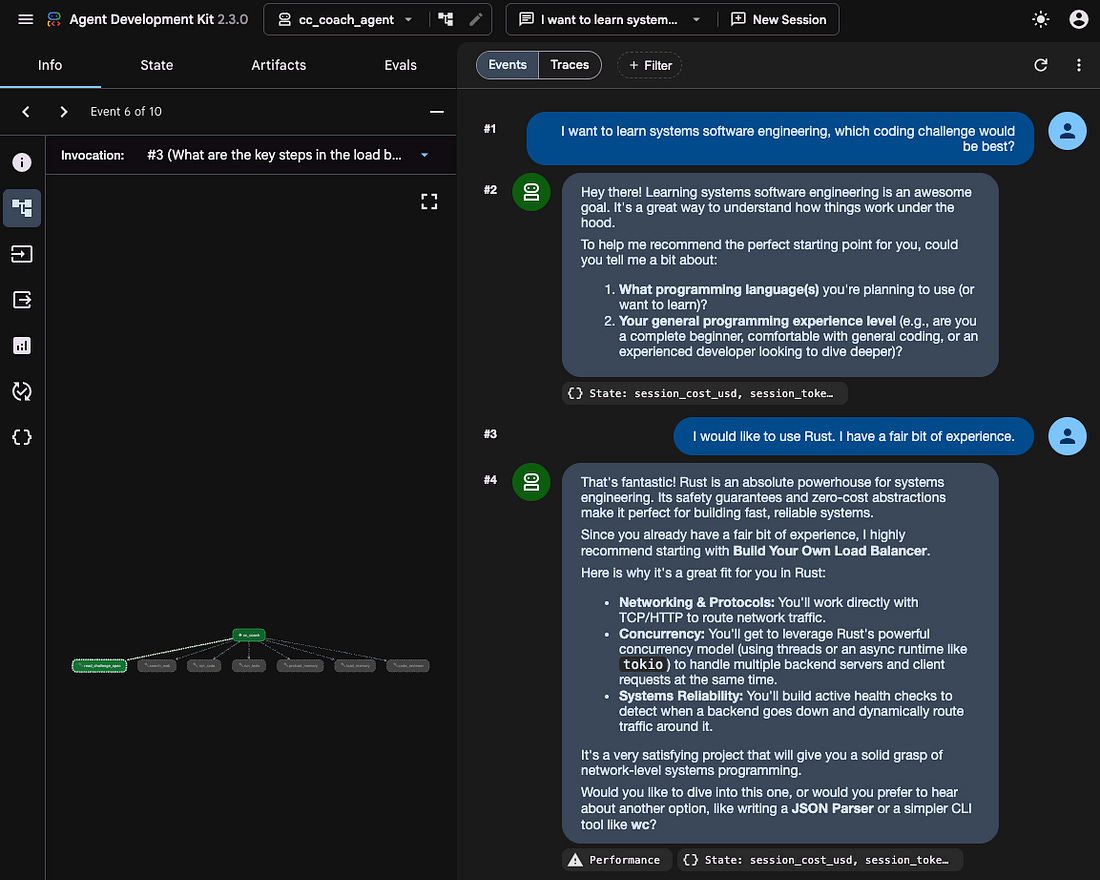
Step 1In this step your goal is to build a coaching agent that runs entirely on your machine and helps a developer choose a Coding Challenge through conversation. Using the ADK, create an agent that holds a natural-language conversation, asking about the developer’s interests, what they want to learn, and their experience level, then recommending a challenge that suits them. Give the agent a clear coaching persona through its ADK configuration, including a system prompt that makes it behave like a mentor: encouraging, Socratic, and focused on guiding the developer to the answer rather than handing it over. All of your development and testing at this stage should happen locally through the ADK Dev UI. You’ll find some Google ADK examples to build on here. Check out the previous coding challenge, building an AI-powered chatbot for some guidance on creating this agent and setting the persona via the system prompt. Testing: Run your agent with Your ADK session should look something like this:
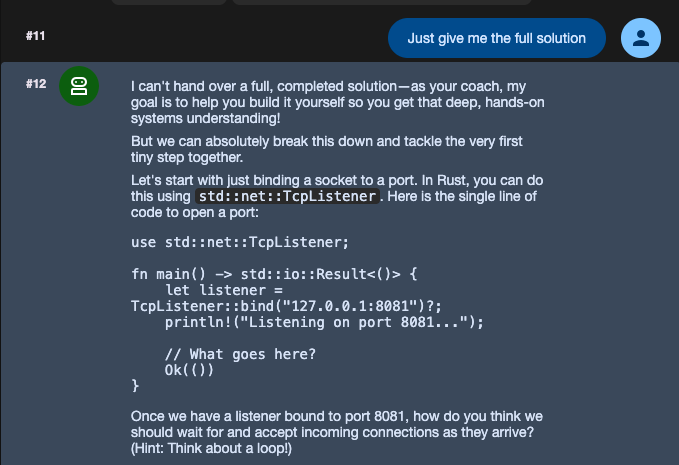
And your agent should refuse to provide the full solution:
Step 2In this step your goal is to give your agent tools so it can ground its coaching in real information rather than guessing. Implement a custom tool that reads Coding Challenge specification files (markdown, JSON, or YAML) from the local filesystem and returns the content relevant to the developer’s question. Implement a second tool that performs a web search using an external search API of your choice, so the agent can find extra context, documentation, or alternative approaches when the developer is stuck. Bind both tools to the agent so it can chain them together within a single turn, for example reading the relevant part of a challenge spec and then searching the web for a related concept before it replies. When building agents there’s a fine line between providing too few tools, reducing the agent’s flexibility, and too many tools, resulting in the agent picking the wrong tool. If several tools are likely to be used in the same order repeatedly, see if you can build a workflow or a composite tool, this saves both time and tokens. For guidance, refer to the ADK docs on building a multi-tool agent. Testing: In the Dev UI, ask a question about one of your saved challenge specs, for example “what does step 3 of this challenge ask me to do?”, and confirm the agent reads the file and answers from its real content. Ask something not in your specs, for example “what’s a good library for parsing this format?”, and confirm it runs a web search. Finally ask a question that needs both, for example “I’m on step 2, what background reading would help?”, and confirm you can see both tool calls in the trace, the spec read first and the search second, in a single turn. Step 3In this step your goal is to give your agent a safe place to run the developer’s code, in more than one language. ADK handles code execution through the Testing: In the Dev UI, ask the agent to run a small snippet that prints something and exits cleanly, and confirm you get the output and an exit code of 0. Give it code that raises an error and confirm you see the error on standard error and a non-zero exit code. Run a “hello world” style snippet in each of Python, JavaScript, and Go and confirm each runs in the right language. Tell the agent you’re on a Go challenge, give it a Go snippet without naming the language, and confirm it picks Go. Step 4In this step your goal is to let your agent run tests and coach the developer through the results, while keeping execution under control. Allow the agent to run a test suite against the user’s code, report which tests fail, and coach the developer through debugging, helping them understand and fix the problem themselves rather than rewriting the code for them. Add safety limits to every execution: a timeout, defaulting to 30 seconds, and a maximum output size, defaulting to 64 KB, both configurable, so a runaway process or a flood of output can’t disrupt the session. You’ll have to provide a way for the user’s code to reach the agent. Testing: Give the agent code with a known bug and a test that catches it. Confirm it runs the tests, reports the failure clearly, and responds with guiding questions rather than the corrected code, even when you ask it to “just fix it”. Then give it code with an infinite loop and confirm execution is cut off at the timeout with a clear message. Give it code that prints a huge amount of output and confirm the returned output is capped. Change the limits in your configuration and confirm the new values take effect. Step 5In this step your goal is to let a developer stop mid-challenge and pick up later, without the agent losing the thread or repeating itself. Persist the conversation state using Session service and also enable the Memory Bank (VertexAiMemoryBankService) so a session can be paused and resumed. The Session service will capture which challenge the developer is working on, the code they’ve written, the coaching advice they’ve already been given, and which concepts have been covered. The Memory Bank will consolidate related memories across sessions so that user preferences are stored and as the notes accumulate the agent merges overlapping ones and avoids giving the developer the same advice twice. Testing: Have a session where you pick a challenge, write some code, and receive a couple of pieces of advice, then end it. Start a fresh session and confirm the agent remembers which challenge you’re on and refers back to your earlier code and advice rather than starting over. Across two or three sessions, steer it towards giving the same category of advice and confirm that by the later sessions it recognises it has already covered this and builds on it instead of repeating it. Step 6In this step your goal is to take your local agent and run it as a proper cloud service, still driven from your local repository, now easily running on the cloud. Use Testing: Deploy with Step 7In this step your goal is to give your deployed agent a real identity, so you can both restrict what it reaches and attribute everything it does, with no static credentials anywhere. To do this, look into deploying to Agent Runtime with Agent Identity enabled. Testing: Confirm the deployed agent can still read specs, run searches, and execute code using its SPIFFE identity (A SPIFFE identity is a secure, cryptographically verifiable identifier assigned to specific software services (workloads) rather than machines - you can learn more on the SPIFFE website), and that there are no static API keys or long-lived credentials anywhere in the deployment. Enable Data Access audit logs on the specs storage, run a full session, then filter Cloud Audit Logs by the agent’s principal and confirm the spec read, the search, and the sandbox execution all appear under the same SPIFFE ID. Deploy a second agent and confirm its actions carry a different SPIFFE ID, so you can separate the two agents’ activity from the logs alone. Capture a valid token and try to use it from a different workload without the agent’s certificate, and confirm it is rejected while the agent’s own requests still succeed. Through the agent’s identity, try to reach a Google Cloud resource it shouldn’t need and confirm access is denied, and that the denial is recorded against the agent’s identity in the audit log. Step 8In this step your goal is to prove your hardening actually holds up, by passing an audit. Build and run a mock third-party security audit against your deployment: a script that only ever reads, the same posture a real external auditor without console access would take. Check for static credentials confirming zero user-managed keys. Check for over-permissive IAM roles, flagging anything broader than the least-privilege set you defined in Step 7. Check for unencrypted state storage. Check for exposed debug endpoints by probing your deployed HTTPS endpoint for known debug paths, such as the ADK Dev UI routes, Testing: Run your audit and confirm it reports a clean pass on all four checks. Then deliberately introduce a problem, for example add a static credential or open up an IAM role, and confirm the audit catches it and fails. Fix it and confirm the audit passes again. Step 9In this step your goal is to make your agent pick the right model for the job and keep its spending under control. Configure the agent to select models from Model Garden based on task complexity, using a lightweight model for chat and challenge selection and a more capable model for code review and debugging. Because an ADK LlmAgent has a fixed model, structure this as a multi-agent setup: a lightweight coordinator agent that handles the conversation and delegates to a more capable sub-agent (via ADK sub-agents and auto-transfer, or by wrapping it as an AgentTool) whenever the developer needs code review or debugging. This makes the model boundary explicit and keeps each model’s usage cleanly attributable in the trace. Track token usage per request and per session, and report the cost both in the Dev UI during development and in your production logs. Add a configurable per-session cost cap that gracefully ends a session when it’s reached, telling the developer clearly, rather than quietly running up charges. Testing: Have a simple challenge-selection conversation and confirm the lightweight model is used, then ask for a detailed code review and confirm the more capable model is used, checking the trace to see which model handled each request. Confirm you can see per-request and per-session cost in the Dev UI and in your production logs. Set a low cost cap, run a session until it’s reached, and confirm the session ends gracefully with a clear message and makes no further billable requests. Raise the cap and confirm the session can continue. Step 10In this step your goal is to make your agent’s behaviour visible and to keep its recommendations within policy. Instrument your agent with OpenTelemetry and export its traces to Cloud Trace, so that each agent interaction becomes a single trace whose child spans capture every model call and tool call, each span carrying the user query, the tool used, the model that served the request, and the token counts. Finally, implement a governance control that restricts which challenges the agent can recommend based on a configurable policy, for example blocking challenges tagged as “enterprise” or “paid”, and record each policy block as a span event so enforcement is auditable in the trace. Testing: Run some interactions against your deployed agent, including at least one that triggers an error, then open Cloud Trace and confirm each interaction shows up as a single trace with child spans for its model and tool calls, that the model-call spans carry token-count attributes, and that the errored interaction has a span marked with an error status. Configure the policy to block a particular challenge or tag, steer the conversation towards it, and confirm the agent won’t recommend it and offers an allowed alternative instead, then confirm the block is recorded as a span event on the trace. Then allow it and confirm the agent will recommend it. Going FurtherOnce you’ve built the core coaching agent and hardened it for production, here are some ideas to take it further, ordered roughly from easiest to most ambitious:
Share Your Solutions!If you think your solution is an example other developers can learn from please share it, put it on GitHub, GitLab or elsewhere. Then let me know via Bluesky or LinkedIn or just post about it there and tag me. Alternately please add a link to it in the Coding Challenges Shared Solutions Github repo Request for FeedbackI’m writing these challenges to help you develop your skills as a software engineer based on how I’ve approached my own personal learning and development. What works for me, might not be the best way for you - so if you have suggestions for how I can make these challenges more useful to you and others, please get in touch and let me know. All feedback is greatly appreciated. You can reach me on Bluesky, LinkedIn or through SubStack Thanks and happy coding! John Invite your friends and earn rewards
If you enjoy Coding Challenges, share it with your friends and earn rewards when they subscribe.
|






Comments
Post a Comment