
This week’s system design refresher:
AI for Engineering Leaders: Course Direction SurveyWe are working on a course, AI for Engineering Leaders, and would appreciate your help with a quick survey. What is a Data Lakehouse?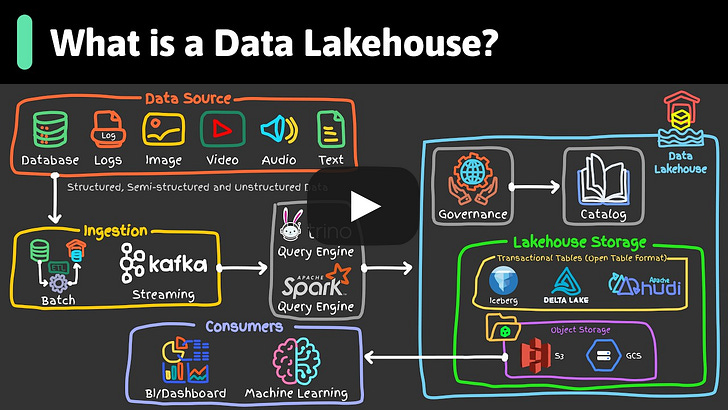
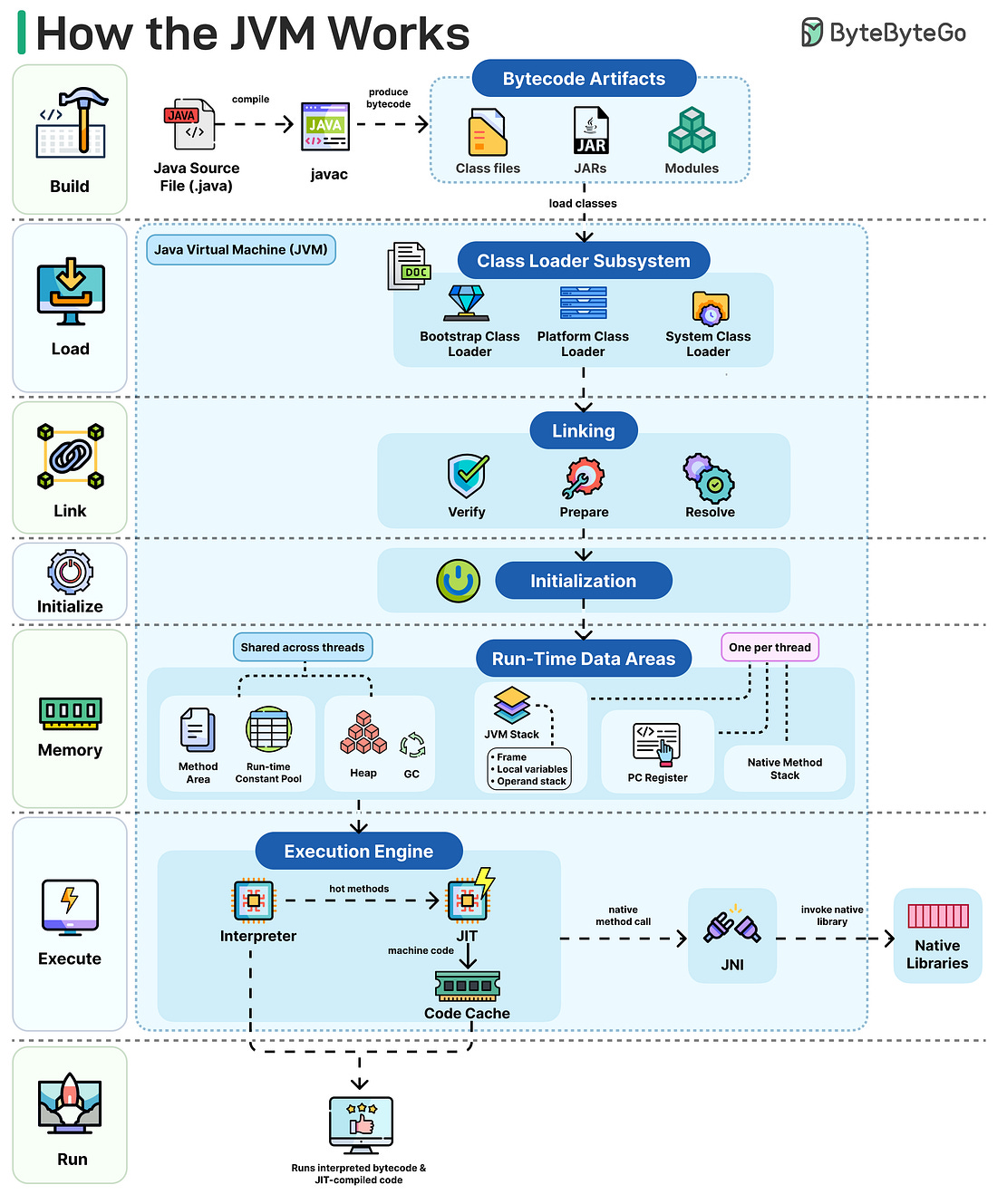
How the JVM WorksWe compile, run, and debug Java code all the time. But what exactly does the JVM do between compile and run?
Here's the flow:
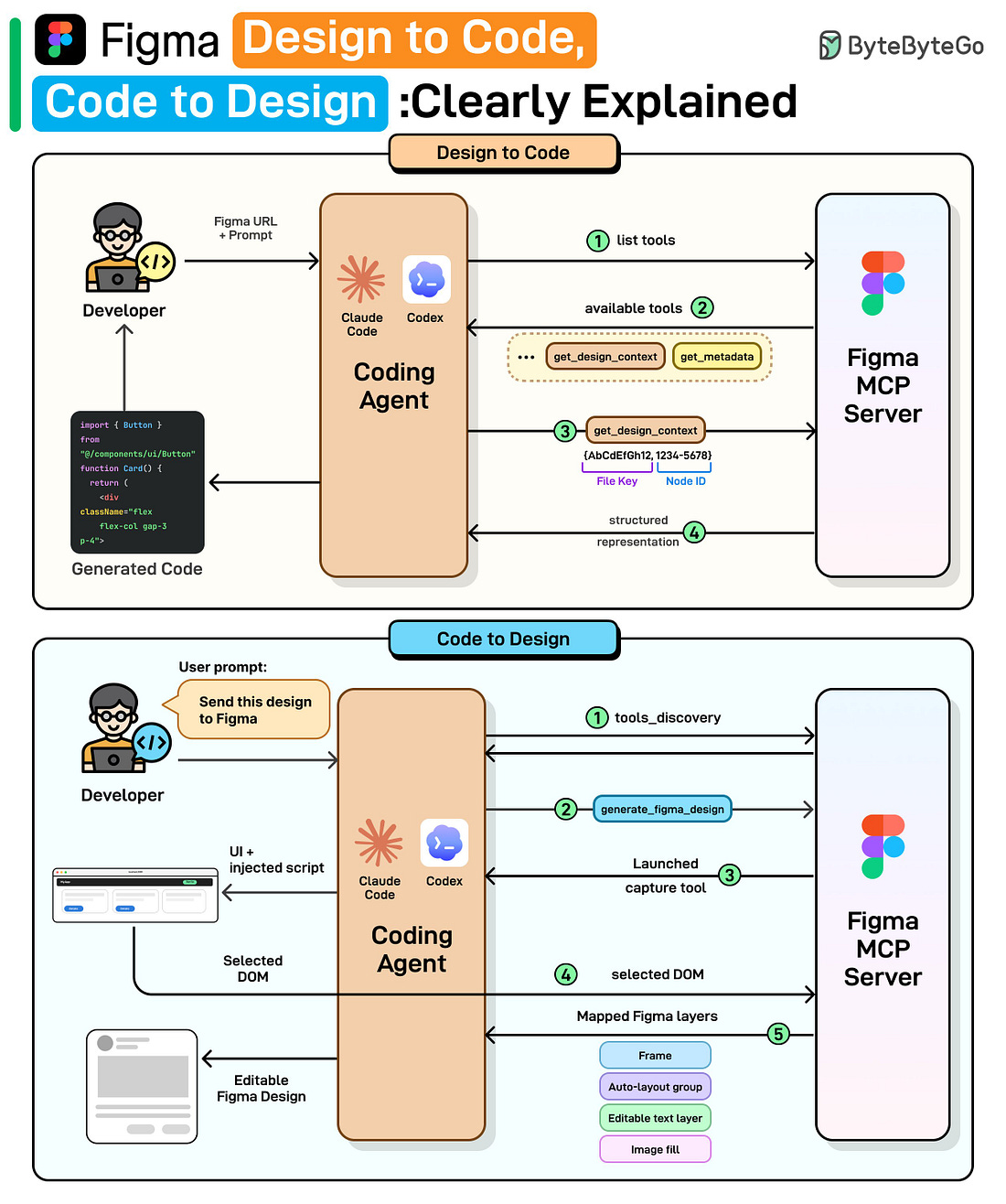
Figma Design to Code, Code to Design: Clearly ExplainedWe spoke with the Figma team behind these releases to better understand the details and engineering challenges. This article covers how Figma’s design-to-code and code-to-design workflows actually work, starting with why the obvious approaches fail, how MCP solves them, and the engineering challenges that remain.
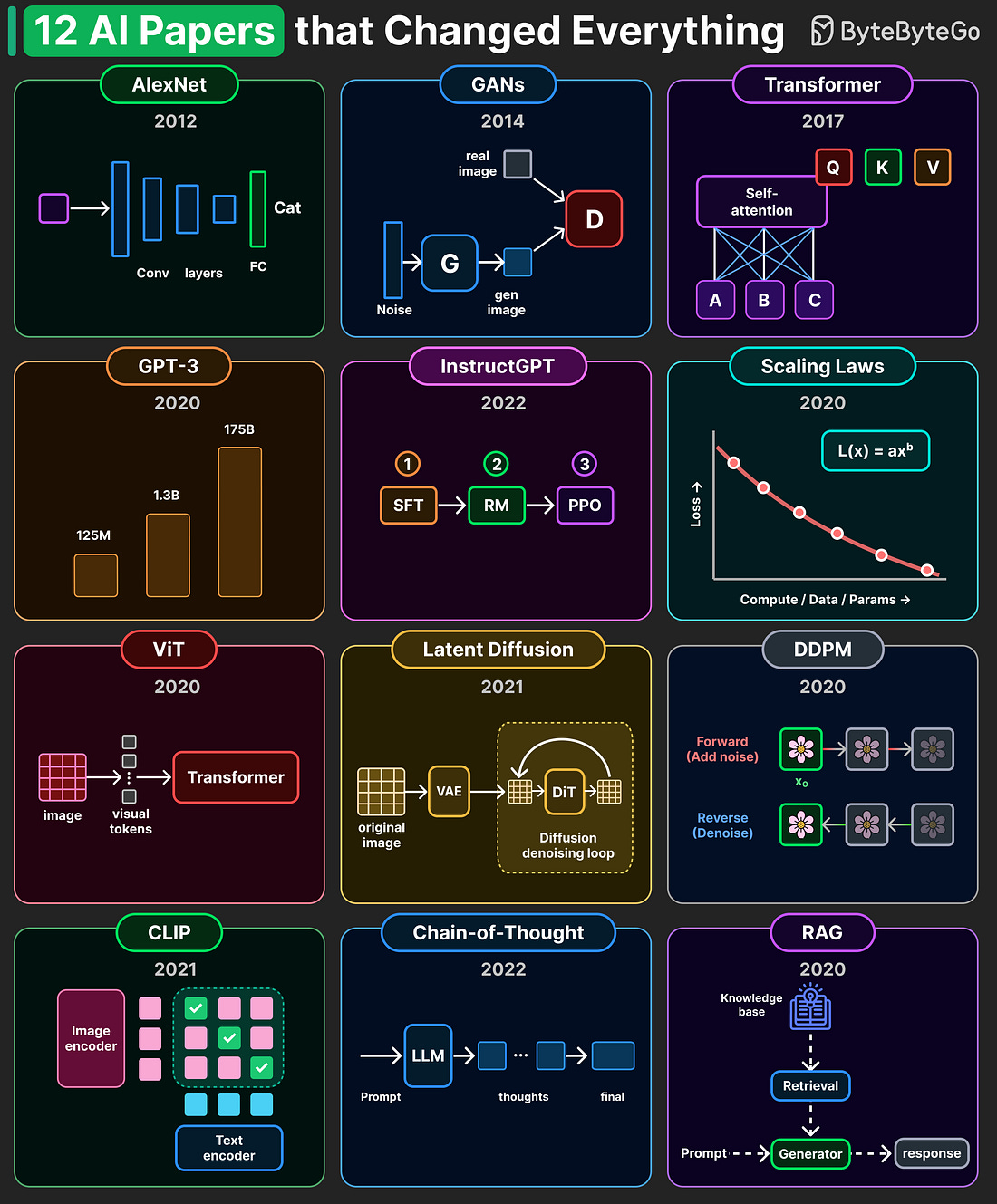
At the high level: Design to Code: Step 1: Once the user provides a Figma link and prompt, the coding agent requests the list of available tools from Figma’s MCP server. Step 2: The server returns its tools: get_design_context, get_metadata, and more. Step 3: The agent calls get_design_context with the file key and node ID parsed from the URL. Step 4: The MCP server returns a structured representation including layout and styles. The agent then generates working code (React, Vue, Swift, etc.) using that structured context. Code to Design: Step 1: Once the user provides the desired UI code, the agent discovers available tools from the MCP server. Step 2: The agent calls generate_figma_design with the current UI code. Step 3: The MCP tool opens the running UI in a browser and injects a capture script. Step 4: The user selects the desired component, and the script sends the selected DOM data to the server. Step 5: The server maps the DOM to native Figma layers: frames, auto-layout groups, and editable text layers. The result is fully editable Figma layers shown to the user. Read the full newsletter here. 12 AI Papers that Changed EverythingA handful of research papers shaped the entire AI landscape we see today.
The diagram below highlights 12 that we consider especially influential.
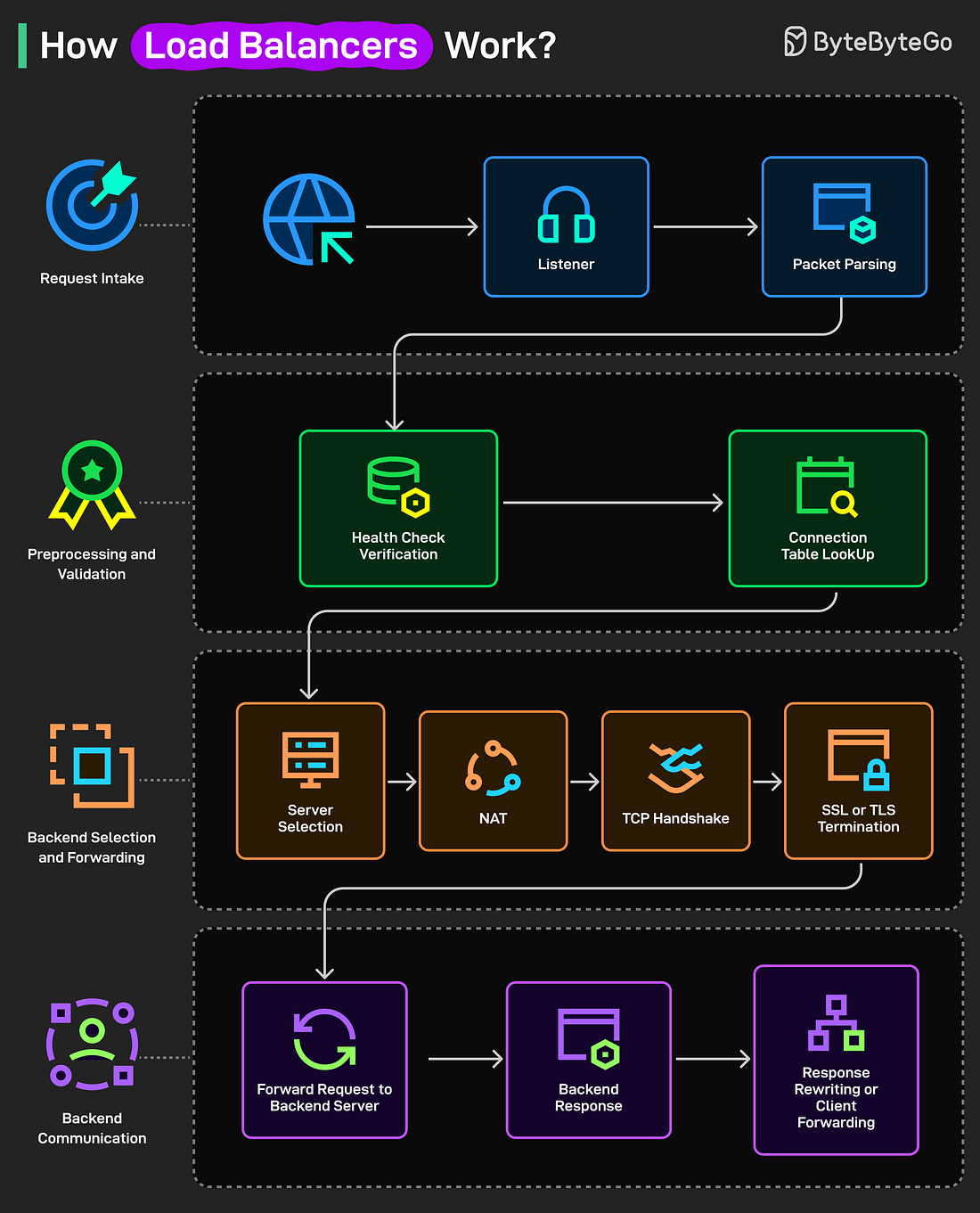
Over to you: What paper is missing from this list? How Load Balancers Work?
A load balancer is a system that distributes incoming traffic across multiple servers to ensure no single server gets overloaded. Here’s how it works under the hood:
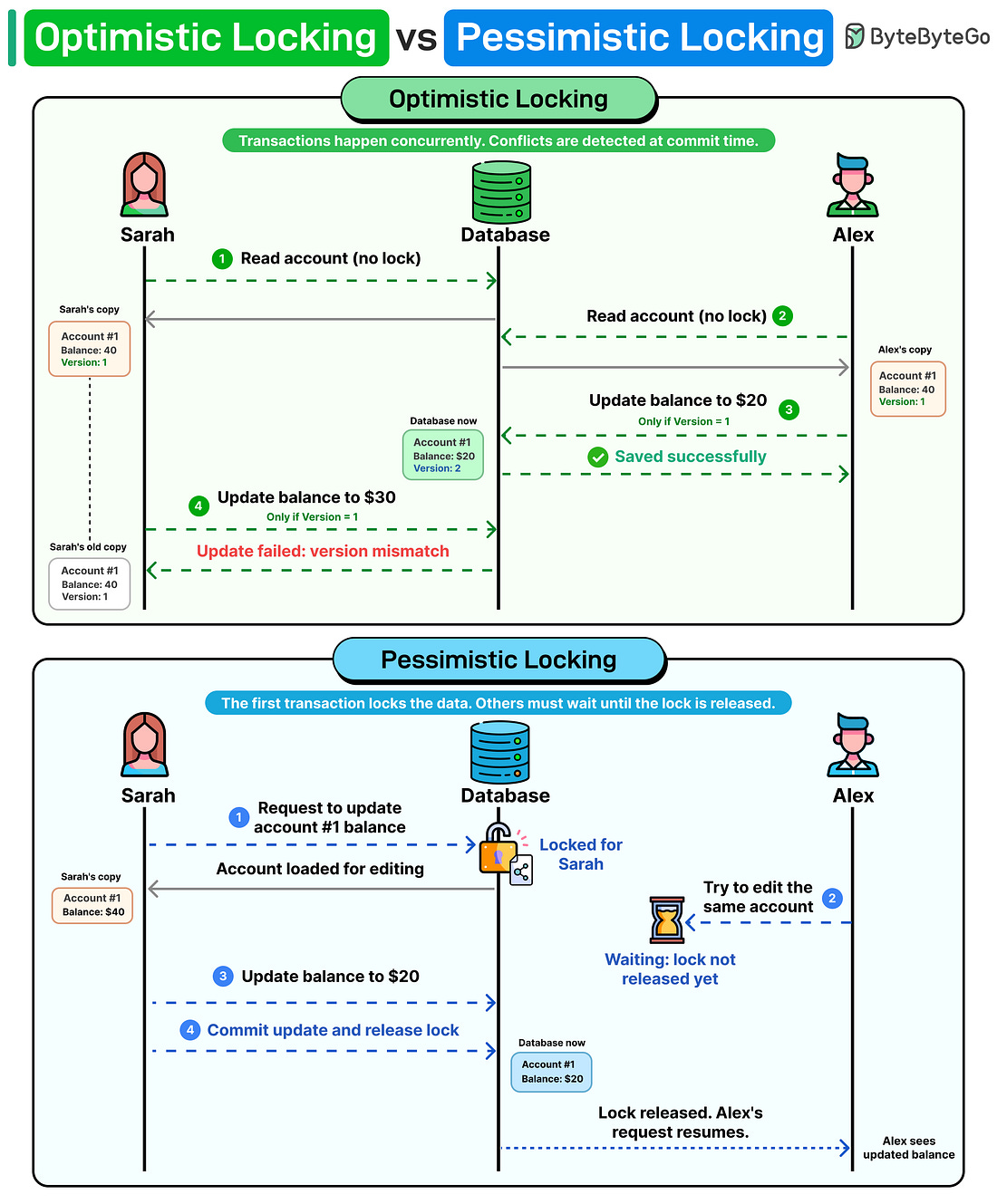
Over to you: Which other step will you add to the working of a load balancer? Optimistic locking vs pessimistic lockingImagine two developers updating the same database row at the same time. One of them will have their update rejected. How should the system handle this?
There are two common approaches. Optimistic locking assumes conflicts are rare. Both users read the data without acquiring any lock. Each record carries a version number. When a user attempts to write, the database checks: does the version in your update match the current version in the database? If another transaction already incremented the version from 1 to 2, your update still references version 1. The write is rejected. Pessimistic locking takes the opposite approach. It assumes conflicts are likely, so it blocks them before they happen. The first transaction locks the row, and every other transaction waits until that lock is released. No version checks needed. If your system is read-heavy with occasional writes, optimistic locking is the best option. When concurrent writes occur frequently and the cost of a conflict is high, pessimistic locking is the safer choice. Over to you: Have you ever run into a deadlock in production because of a locking strategy? How did you fix it?
|





Comments
Post a Comment